One Lobby, Four Hallways — review hub
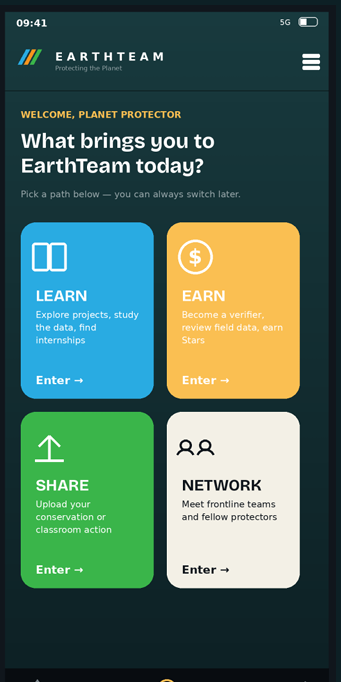
Everything you need to review the new Entrance Lobby flow (deck slides 5–6): an interactive screen-to-screen map, a tap-through walkthrough that behaves like the app, and the full design deck. Leave comments on any screen and export them when you're done.
🗺 Workflow map
Every screen, every tap. Status per screen (exists / modify / new), build notes, sub-flows for smart-import & onboarding — and a comment box on each card.
Open the map →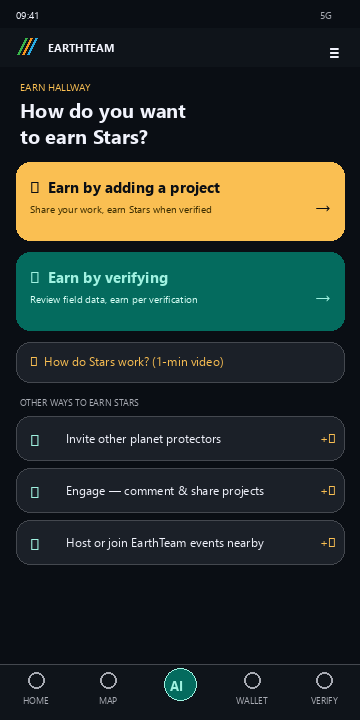
📱 Guided walkthrough
Tap through the flow like a user would — Lobby → hallway → destination. The fastest way to feel the navigation before anything is built.
Start tapping →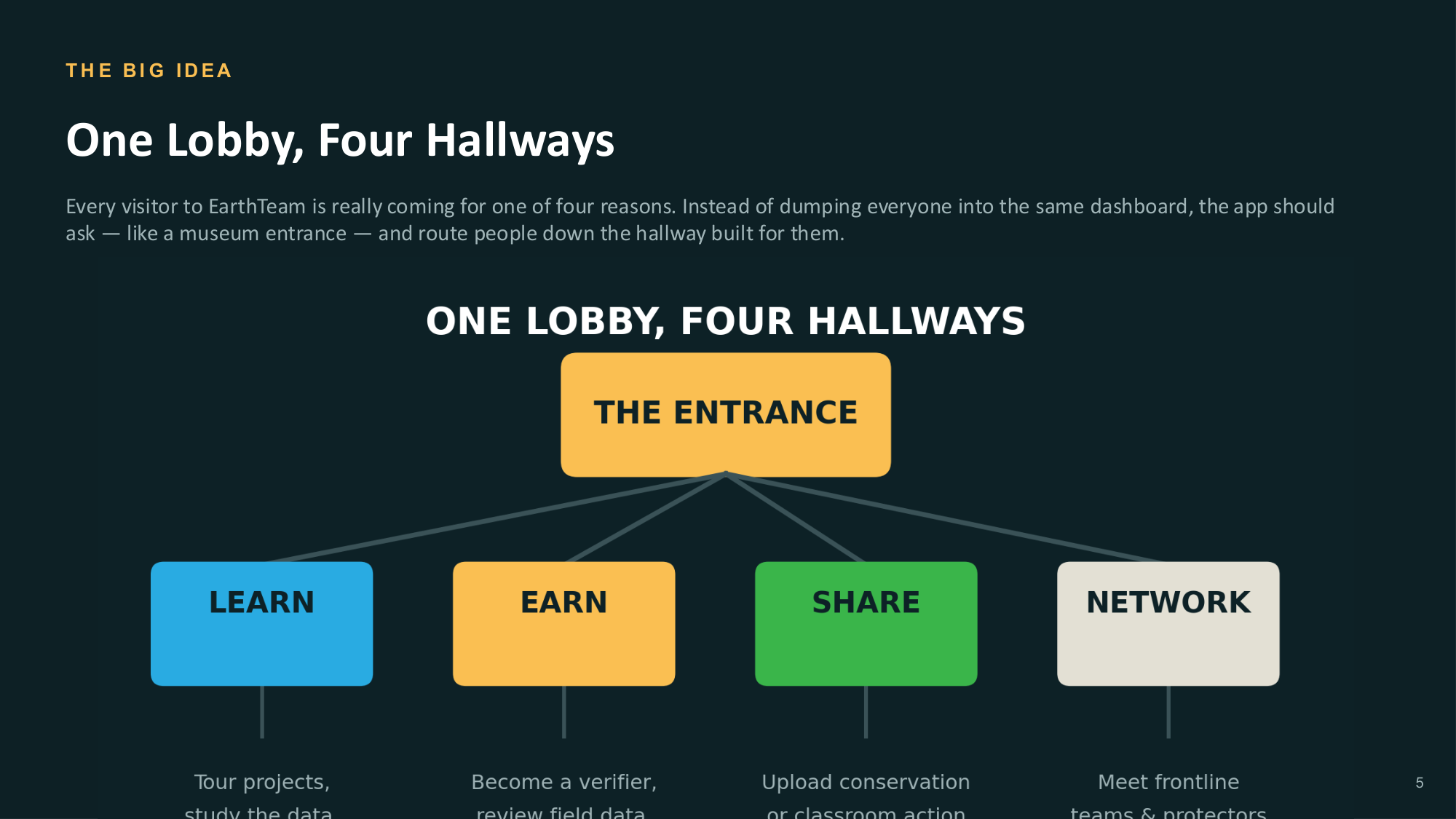
📖 Design deck
The full 11-slide redesign deck — the gaps, the museum model, solutions cards, wallet redesign, nav model and open decisions.
Read the deck →HOW TO REVIEW (5 minutes)
- Open the Guided walkthrough first — tap each Lobby tile and follow it to the end. Does each hallway land where you'd expect?
- Then open the Workflow map. Type your name in the header field.
- On any screen card, expand “Build notes & comments” and write your thoughts — disagreements, copy tweaks, missing links.
- Check section 6 — the open decisions need your vote (Lobby every session? gAia tab? naming?).
- Hit “⤓ Export comments” and paste the result into the group chat / e-mail.
SOURCE FILES
- Lobby_Workflow.md — the build spec (tile mapping, sub-flows, security)
- lobby-workflow.drawio — editable diagram (diagrams.net / VS Code)
- EarthTeam_UX_Redesign.md — deck as markdown
- EarthTeam_UX_Redesign.pdf — original deck
NOTE ON COMMENTS
Comments are stored in your browser only — they aren't shared automatically. Always finish with Export comments and paste the text wherever the team collects feedback.